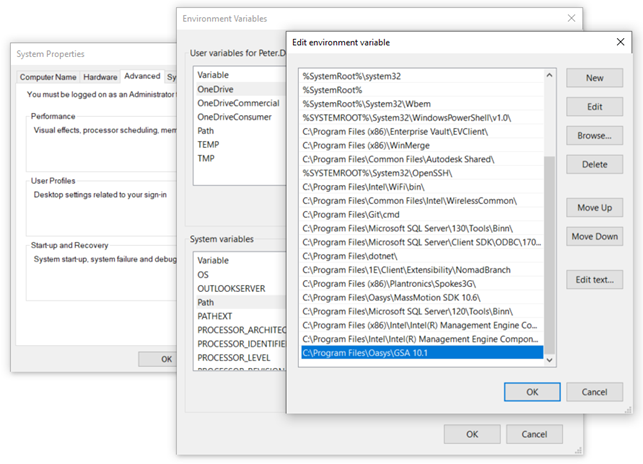
System Environment Variable
-
Go to Control Panel
-
Click System
-
On left hand pane click "Advanced system settings"
-
Make sure that the Advanced tab of system properties dialog is in view
-
Click "Environmental variables..." button
-
Go to System variable section (variable in bottom pane)
-
Open Path variable and add the path as shown in the following image
Note: If the permissions are not enough to update "system variables", please update "Path" from "User variables".